Really Bizarre Sex
|
|||
|
|

|
How to Use this Site
Welcome to Really Bizarre Sex! In your User feed, you can Edit your Profile and Manage Posts. Manage Posts lets you Hide or Show posts in your feed, that you may not want other user to see if they visit your User feed. Simply select the posts that you want to hide and click "Hide Selected Posts". You can click on Hidden Posts to see your hidden posts and similarly, select the posts that you want to un-hide. Hidden posts are only hidden from your User feed. Each post in yor feed has 3 dots to the right of your user name. Thosw allow you to edit or delete that post. If you delete the post, it will be deleted from the site. The Home Page has 3 sections: On the left, is your icon and user name. Below that is a Text Box, that when clicked on "What's on your mind" opens up a Posting dialog box. In that Posting box, you can post Text (a caption) and Photos or Videos, or just text. Text is limited to 5000 characters. All the line feeds that you post in the caption, will show as line feed in your post. There is an emojis button for you to add emojis to your post.
Below the text box, is an option to add a link, and below that you can enter the link text.
This link text will show just under your Icon in you post, in larger text.
NOTE: You can also put links in the text box without the URL. You would put the link as
Click Here to visitr my site: mysite.com that link will be clickable to whatever site you entered. 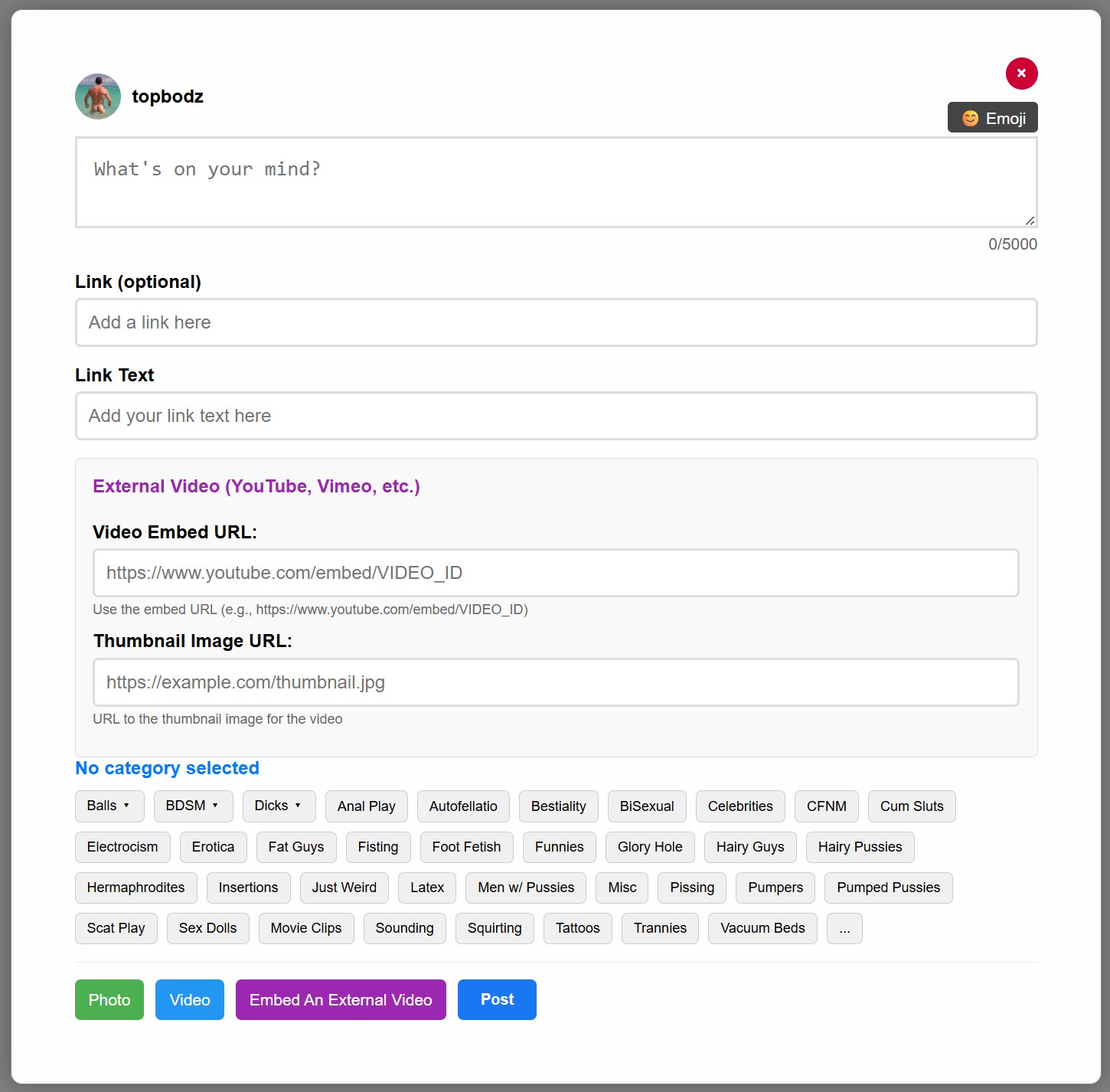
Since we have many different topics, it it important to post your photos/videos in the appropriate category, so that user will see them when they visit the associated topic. The first 3 categories: Balls, BDSM and Dick will expand to reveal sub Categories. You can hover over them to see and familiarize yourself with those subs. You MUST select a category for your post. If no category fit your post, you can use Misc. After selecting a category, click on Photo or Video, this will open a dialog to pick a file from your computer. In the image preview section, (after you've selected a photo or video) you wil have the option to crop an image and change the aspect ratio. This is optional. For Videos that are over 60 seconds, you will need to select a frame to create a thumbnail for your video. Simply Slide the dot on the time bar to a frame that you want to use as a thumbnail, click select this frame. About Photo/video quality. Since we strive to make the site better than our competitors, we encourage you to post better quality images and video. Low resolution content really degrades the site. Please post larger images (large file will be resized to 1400px width or height) Please, post files that are at least 500px wide to minimize distortion. Your logo and links: Nothing distracts more from an image or video than a logo, fans link, redgif, or watermark in the middle of the image/video. You are given options to have your link on top of the image in a large font size, and you can add links in the caption of the post. Please post images that are free of these distractions. There are no limits to video lenght, but keep it to 3 minute max. If you need to post a longer video, let us upload it on an outside server, or embed it in your post. Avoid deletion On this site you can post pretty much any NSFW content. It wont be deleted base on nudity or sex. BUT, the site is not meant to be a porn site. So, avoid posting plain old porn. Sex activity is acceptable if it shows an unusual or better yet, a really weird way of having sex. Please do not post any violent sex (as in rape scenes) or any kind of child porn, or photos/videos with the redgif logo. Those will be deleted. The center column is the main Home Feed. It is a combination of all the posts in all the categories sorted at random. clicking on a posts opens it in a tab. Simply click anywhere to close. For videos, click outside of the video to close. At the bottom right of the post are 3 dots, when you can Hide the category of that post, block the user or edit the post if it's yours. Like other sites, you can comment, like, retweet or save a post. Click on Bookmarks to see your saved posts. You can also "click to add a caption" Anyone can add a caption on anyone's post. Of course the post owner can over write it. Comment opens in a new tab. You can post text and images that will open in a new tab. The right column is mainly the categories in random order. Just click on the one that inretests you. At the very top of the column is a search box where you can search Users, words or #ashtag words. Note that ashtag words all 1 word. (ie: #sexmovies, #frontalnudity). Our user names do not use @ just the user name.
Back to Home Page. |